MestoGo Nepal Adds Instant Visa Verification with QR Scan + Manual Entry
Travelers can now verify Nepal visa details in seconds using QR code scanning or manual form entry directly inside MestoGo Nepal.
 ChatGPT
  Gemini
  Claude
  Perplexity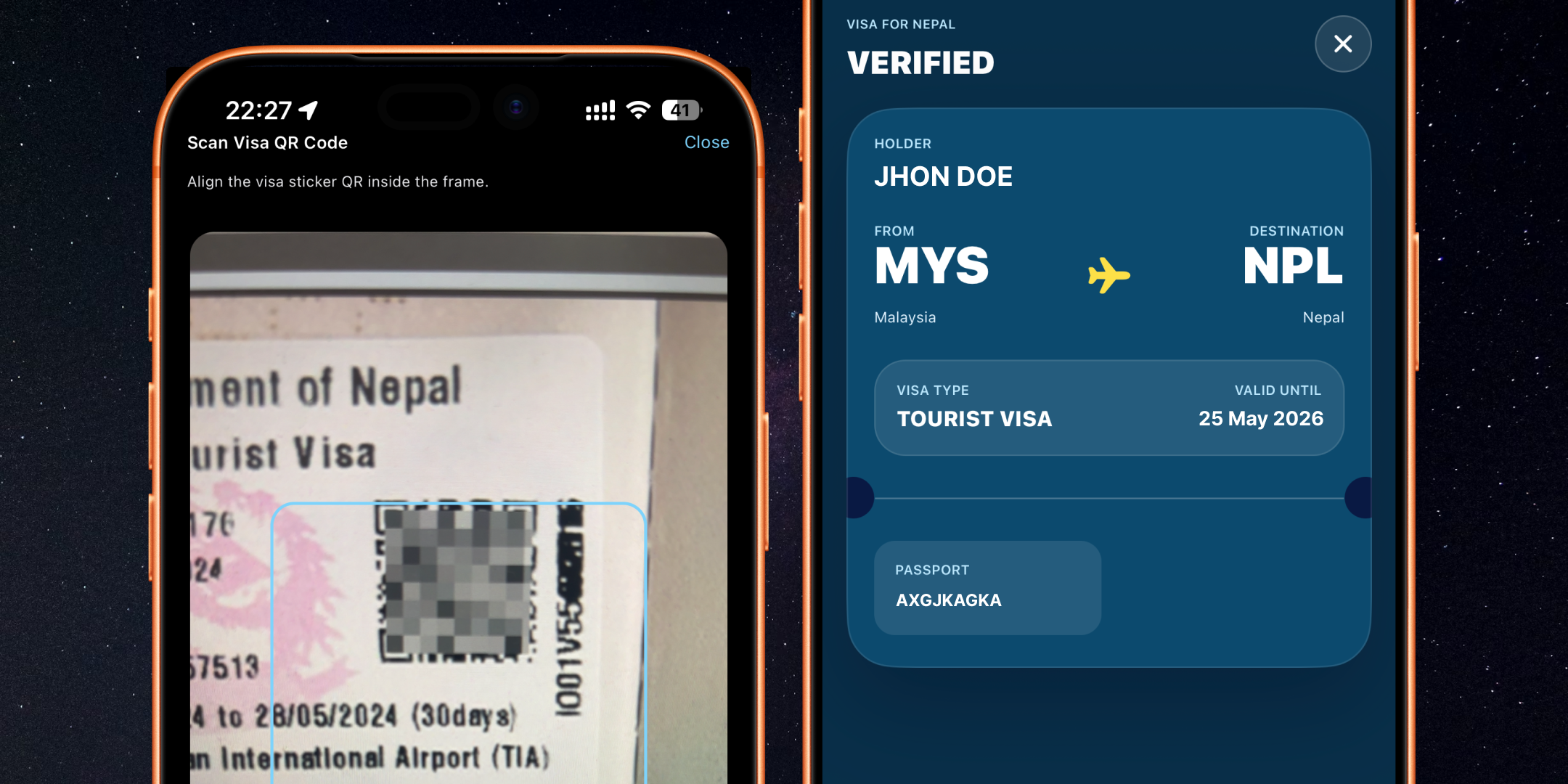
Introducing Verify Nepal Visa in MestoGo
We are excited to launch Verify Nepal Visa, a new feature in MestoGo Nepal that helps travelers quickly validate their issued Nepal visa from inside the app.
From the Nepal home screen, users can now open Check Your Visa and verify visa details in two convenient ways:
- Scan Visa QR Code for fast, camera-based verification.
- Enter visa details manually using date of birth, passport number, country, and visa number.
This gives travelers flexibility whether they have the visa QR code ready or prefer to type in their information directly.
Two Ways to Verify, One Reliable Experience
1) Scan Your Visa QR Code
Tap Scan Visa QR Code to launch camera verification. If your visa contains a QR code, this is the fastest way to validate details and reduce manual input errors.
2) Verify by Entering Information
Prefer manual verification? Fill in:
- Date of Birth
- Passport Number
- Country
- Visa Number
Then tap Verify Visa to check your issued Nepal visa information.
Built for Real Travel Moments
Whether you are preparing before your flight, confirming details at immigration checkpoints, or double-checking documents during your trip, Verify Nepal Visa is designed to be quick, simple, and accessible.
The feature is integrated into the same MestoGo Nepal experience users already rely on for flights, hotels, weather, emergency resources, and local tools.
Where to Find It
- Open MestoGo and select Nepal.
- Scroll to Tools.
- Tap Check Your Visa.
- Choose Scan Visa QR Code or manual entry.